Product
Soccer Script
Documentation
Detailed installation instructions and configuration guides are available.
Features
Description
Custom FiveM soccer with in-house animations, live scoreboard, goalkeeper controls, stamina, and full match history. Built for ESX, QBCore and QBox.
- Custom in-house animations for shooting, tackling and goalkeeper dives
- Live scoreboard with team names, score and match timer
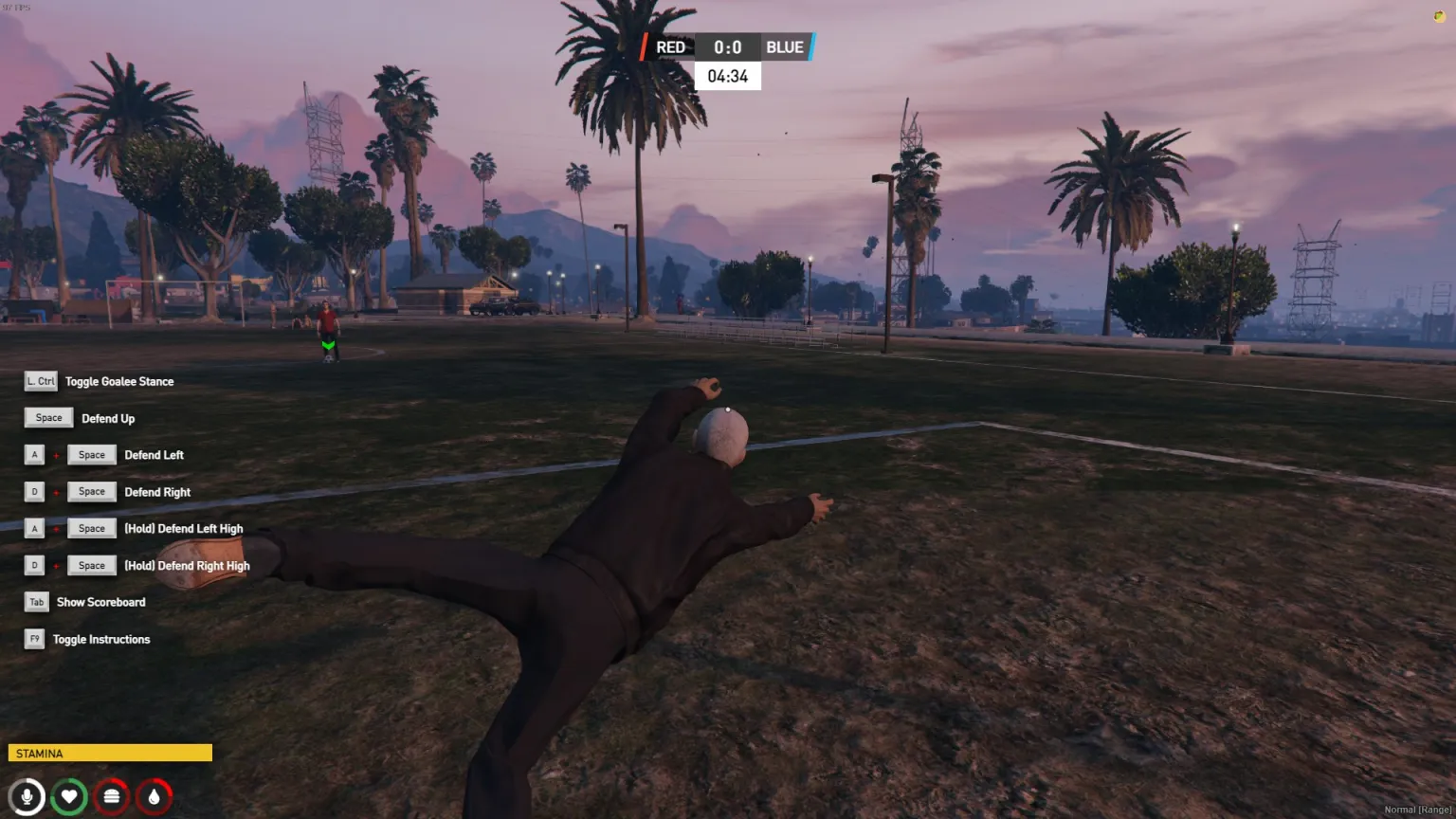
- Dedicated goalkeeper stance and directional save controls
- Stamina bar that tracks sprint and physical play
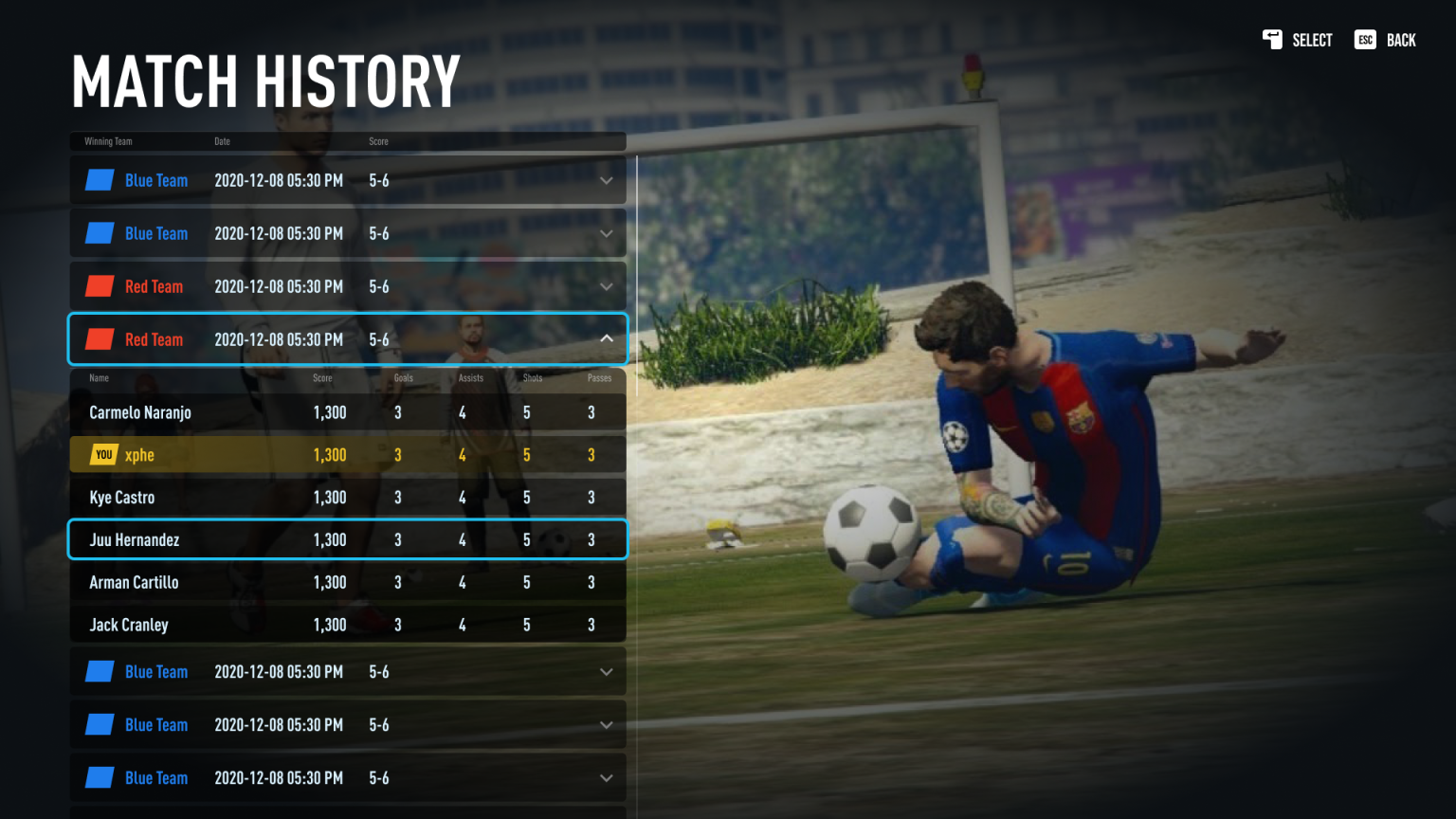
- Match history with goals, assists, shots, passes and score per player
- Red vs Blue teams with a clean in-game HUD
- Framework support: ESX, QBCore and QBox
- Documented install per framework — do not edit escrow files
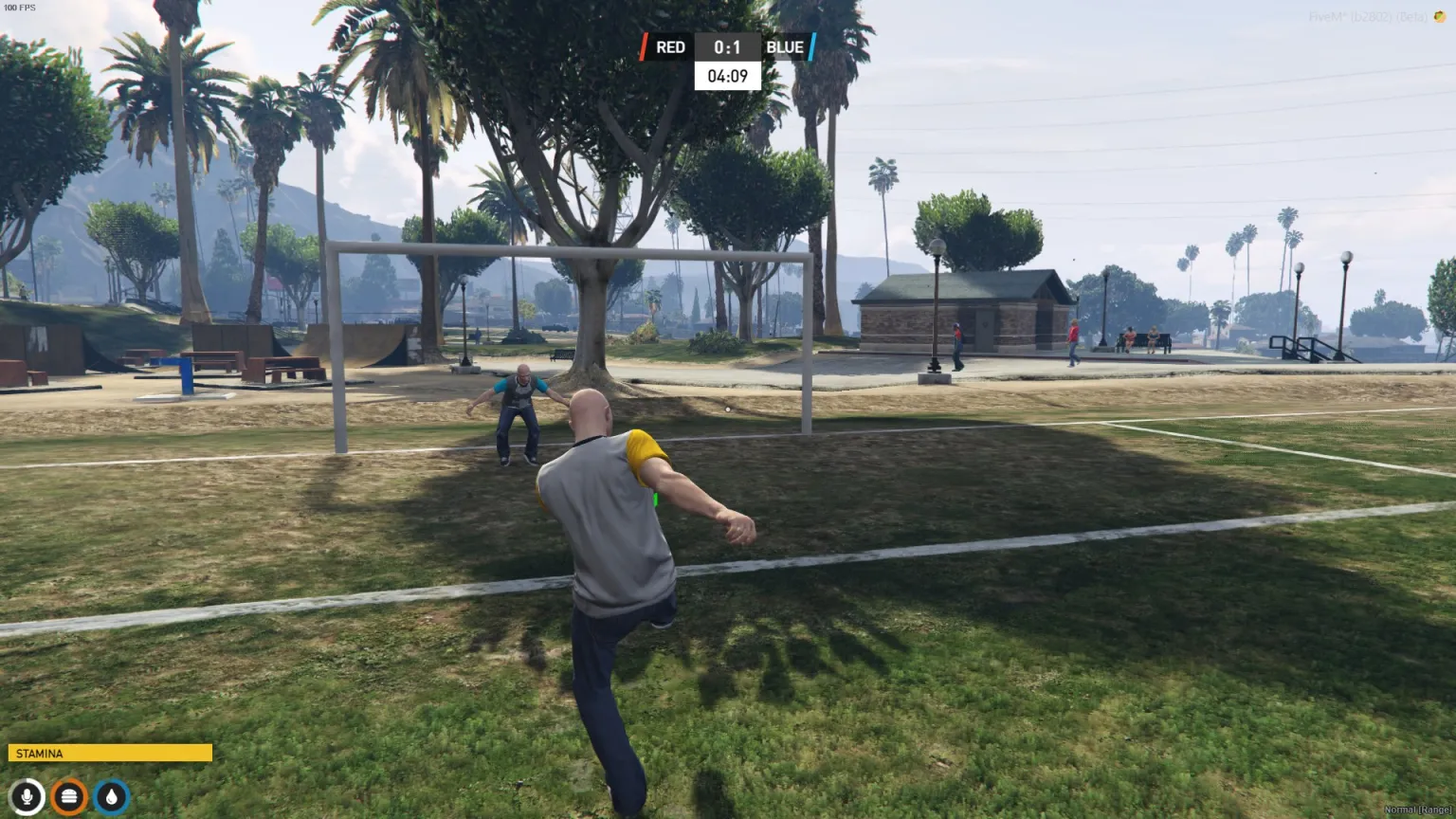
cDev Soccer turns a GTA park pitch into a real match: custom animations, a live scoreboard, goalkeeper saves, stamina, and a full match-history UI with per-player stats. It is an entertainment resource built in-house — not a reskinned ball prop.
What's included
Soccer resource · Framework installs (ESX / QBCore / QBox) · Config · Documentation · Showcase video
How a match plays
- Red vs Blue with a top-center scoreboard (teams, score, countdown timer)
- Shoot, pass and challenge with custom third-person animations
- Goalkeeper stance plus high / low / left / right saves
- Stamina drains while you sprint and contest the ball
Frameworks
ESX · QBCore · QBox — pick the install guide that matches your server. One license, one server.
Requirements
FiveM server · ESX, QBCore or QBox · Follow the docs for your framework. Do not modify encrypted / escrow files — that will break the resource.
Overview
Most soccer scripts stop at a ball and a score. This one is built as a sport: custom animations, a readable HUD, and data that survives after the whistle.
- In-house animations for strikes, slides and diving saves
- HUD that sits on top of the world without hiding the pitch
- Works on a standard outdoor field (park / beach pitch)
- Documented per framework so install is copy-follow, not guesswork
Goalkeeper
Hold a dedicated goalie stance, then dive up, left, right, or high. Instructions can be toggled in-game so new keepers learn the keys without leaving the match.
Match history
After each game, open Match History to see the winning team, date, and score. Expand a row for Name, Score, Goals, Assists, Shots and Passes. Your own line is highlighted so players can track form over time.
Support
Install guides live on docs.cdev.shop. For conflicts and edge cases, open a ticket on the cDev Discord. Licensed for your server only — resale or redistribution is not allowed.